Join us at a Preview Event being held on Friday, April 4th from 5pm-9pm in the Charles Kratz Scranton Heritage Room to celebrate and get a first look at this year’s Environmental Art Show submissions. There will also be an opportunity to share your story of engagement by contributing to a public art piece which will be added to the display on the 7th. Light refreshments will be provided. Free and open to the public.
You can view previous virtual exhibits and photos of some of our previous in-person exhibits at:
The 2025 Environmental Art Show will be held in the Charles Kratz Scranton Heritage Room on the 5th floor of the Weinberg Memorial Library from April 7-17, 2025.
The deadline for submissions is Friday, March 28th, 2025 by 9pm.
The Weinberg Memorial Library is seeking submissions for our annual exhibit of Environmental Art.
The art show theme for 2025 is Engaging with the Natural World. Artists are encouraged to consider their engagement with nature or a sustainable practice and develop artwork around this year’s theme. Submissions are open to the public and we encourage submissions by University of Scranton students, staff, faculty, and alumni.
Environmental Art promotes the natural beauty of our environment and the ideal practice of sustainable living through artworks of all types, including painting, photography, repurposed goods, sculpture, video and more.
Artwork to be displayed on-site at the Library can be dropped off in person during Library operational hours at the Library Services Desk on the 1st floor of the Library. Please download a release form and include the form below with your submission:
Release Forms will be also available at the Library Services Desk, if needed. All Artwork will be returned to artists after the show.
In addition to the physical exhibit, we are offering the option to exhibit virtually. The virtual exhibit will debut on April 7, 2025. If you are submitting digital artwork, you can submit your artwork at the following link:
The art show will be held in the Charles Kratz Scranton Heritage Room on the 5th floor of the Weinberg Memorial Library April 7-17, 2025.
Join us at a Preview Event being held on Friday, April 4th from 5pm-9pm in the Charles Kratz Scranton Heritage Room to celebrate and preview this year’s art submissions. There will also be an opportunity to share your story of engagement by contributing to a public art piece which will be added to the display on the 7th. Light refreshments will be provided. Free and open to the public.
You can view our previous virtual exhibits and photos of some of our previous in-person exhibits at:
If you would like to submit but have questions or need assistance with your submission, please contact Marleen Cloutier at marleen.cloutier@scranton.edu.
The Weinberg Memorial Library is seeking submissions for our annual exhibit of Environmental Art.
The art show theme for 2025 is Engaging with the Natural World. Artists are encouraged to consider their engagement with nature or a sustainable practice and develop artwork around this year’s theme. Submissions are open to the public and we encourage submissions by University of Scranton students, staff, faculty, and alumni.
Environmental Art promotes the natural beauty of our environment and the ideal practice of sustainable living through artworks of all types, including painting, photography, repurposed goods, sculpture, video and more.
The deadline for submissions is set for Friday, March 28th, 2025.
Artwork to be displayed on-site at the Library can be dropped off in person during Library operational hours at the Library Services Desk on the 1st floor of the Library. Please download a release form and include the form below with your submission:
Release Forms will be also available at the Library Services Desk, if needed. All Artwork will be returned to artists after the show.
In addition to the physical exhibit, we are offering the option to exhibit virtually. The virtual exhibit will debut on April 7, 2025. If you are submitting digital artwork, you can submit your artwork at the following link:
The art show will be held in the Charles Kratz Scranton Heritage Room on the 5th floor of the Weinberg Memorial Library April 7-17, 2025.
Join us at a Preview Event being held on Friday, April 4th from 5pm-9pm in the Charles Kratz Scranton Heritage Room to celebrate and preview this year’s art submissions. There will also be an opportunity to share your story of engagement by contributing to a public art piece which will be added to the display on the 7th. Light refreshments will be provided. Free and open to the public.
You can view our previous virtual exhibits and photos of some of our previous in-person exhibits at:
If you would like to submit but have questions or need assistance with your submission, please contact Marleen Cloutier at marleen.cloutier@scranton.edu.
The Weinberg Memorial Library is pleased to offer $1,000 Affordable Learning Implementation Grants to successful faculty applicants.
What is Affordable Learning and OER?
Affordable Learning aims to reduce the financial burden on students by eliminating expensive for-cost textbooks and course materials with no-cost or low-cost educational resources. OER stands for Open Educational Resources, which includes online textbooks, media, and other materials freely available and can be remixed/reused for educational purposes. For the Affordable Learning Implementation Grants, faculty may opt to use existing OER and open-source software or may compile course materials from open access e-books and journals or appropriately licenses Library materials to replace all, or some, of their for-cost course materials.
Accepted applications can also use an additional fund (up to $200) to purchase library materials not currently owned, subject to licensing terms. If you are interested in purchasing new material, please contact the Affordable Learning Committee (affordablelearning@scranton.edu) prior to submitting your application to ensure that appropriate licensing options are available.
The Weinberg Memorial Library is seeking submissions for our annual exhibit of Environmental Art.
The art show theme for 2025 is Engaging with the Natural World. Artists are encouraged to consider their engagement with nature or a sustainable practice and develop artwork around this year’s theme. Submissions are open to the public and we encourage submissions by University of Scranton students, staff, faculty, and alumni.
Environmental Art promotes the natural beauty of our environment and the ideal practice of sustainable living through artworks of all types, including painting, photography, repurposed goods, sculpture, video and more.
The deadline for submissions is set for Friday, March 28th, 2025. All physical works of art can be dropped off at the Library Services Desk on the 1st floor of the Library. All artwork is returned after the art show ends.
The art show will be held in the Charles Kratz Scranton Heritage Room on the 5th floor of the Weinberg Memorial Library April 7-17, 2025.
In addition to the physical exhibit, we are offering the option to exhibit virtually. The virtual exhibit will debut on April 7, 2025. If you are submitting digital artwork, you can submit your artwork at the following link:
If you would like to submit but have questions or need assistance with your submission, please contact Marleen Cloutier at marleen.cloutier@scranton.edu.
First-year students, join us at the Library for the Heritage Hunt!
As part of New Student Orientation, incoming first-year students participate in the Library’s Heritage Hunt. The Heritage Hunt is an interactive introduction to the Library and its resources. First-year students must register for a time slot to participate and receive credit.
We still have session times available for Thursday August 29th & Friday August 30th.
There will be no sessions held after Friday, August 30, 2024.
Visit our webpage for more information and to sign up!
The Weinberg Memorial Library typically does not purchase textbooks for the circulating collections. Some textbook publishers and copyright holders limit libraries from holding copies of their textbooks. Textbooks are also updated much more frequently than the traditional library book, thus making them difficult to keep up-to-date. Additionally, the quantity of copies needed and length of the loan can also be problematic for libraries. Due to space limitations the Library would only be able to hold a few copies in the circulating collection and once those copies are checked out, other students can’t use them. However, the Library does have a small collection of textbooks in our Textbook Reserves Collection.
Textbook Reserves Collection
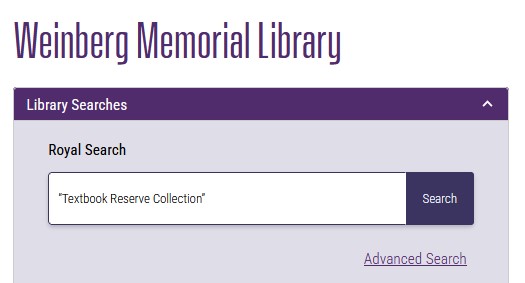
The Library does have some textbooks on reserve in our Textbook Reserve Collection, these textbooks were generously donated to the Library by other students. Titles in this collection have the word “Textbook” before the call number and can be requested at the Library Services Desk. However, they are limited to a one-day loan, so that many students can use them over the course of a semester. To view a list of titles in the Textbook Reserve Collection – type “Textbook Reserve Collection” in quotes into either Royal Search or the Library Catalog to view a list of titles.
Searching for a textbook
If the Library did acquire a print copy of a textbook being used for your class, it would be found in the library catalog. To search for your textbook, go the Library’s Home Page and go to the Library Catalog search bar. Change the pull down menu to “title” and type in the exact title of the textbook into the Library Catalog search box. It can be helpful to know the editor, author, or edition, since most textbooks have generic names such as Fundamentals of Psychology, Microeconomics, etc. and often have multiple editions. Novels and supplemental reading, such as a short story or essay, may potentially be found in the circulating collections of the Library. Use the same procedure listed above to see if the book is in the collection. For more information see our How do I … find my textbook? Research Guide
Course Reserves
Some professors put their textbooks or course materials on reserve for classes. Textbooks on reserve can be borrowed at the Library Services Desk. Typically, textbooks on reserve for classes have shorter loan periods of only a few hours and are meant to be used at the Library. For more information on course reserves see our How do I … find what my professor put on reserves? Research Guide.
EZBorrow
If the Library does not have your textbook here, you may also want to try searching EZBorrow (PALCI), a direct borrowing service. You can find a link to EZBorrow from the Library’s Home Page. EZBorrow is an interlibrary loan system providing access to books not available in the Weinberg Memorial Library. The system simultaneously searches the catalogs of over 50 libraries in PALCI (Partnership for Academic Library Collaboration and Innovation). Books are mailed free of charge and available to pick up at the Library Services Desk.
If you have additional questions about finding or borrowing books from the Library, please reach out to Ask a Librarian.
The Weinberg Memorial Library is pleased to welcome the Class of 2028 to The University of Scranton!
Sign up for the Heritage Hunt, the interactive introduction to the Library and its resources for first-year students!
Watch our welcome video to learn more about the Weinberg Memorial Library.
To consult with a University of Scranton Librarian during our service hours, you can ask for research assistance at the first floor Library Services Desk, call 570-941-4000, or use the Ask a Librarian chat boxes on our website. Assistance is available 24/7 through the chat box, which is covered by librarians not affiliated with the University of Scranton outside service hours.
The Library’s Research & Scholarly Services department, located on the second floor, can assist you with research, such as finding, evaluating, and citing information. Look for the purple “Research Librarian on call” signs to locate a librarian available for drop-in research assistance.Research consultations can be scheduled by using the Ask a Librarian chat box or by contacting your subject liaison librarian directly by email.
To find resources, such as books, periodicals, and media, use Royal Search located on the Library’s home page. The Library’s large collection of e-books, e-journals, and streaming media are available 24/7. To access the Library’s online content, you must first authenticate through my.scranton.edu.
Circulation Services, located at the first floor Library Services Desk, can help you borrow and return print materials and laptops. You can also pick up items on reserve, books placed on hold, and interlibrary loan materials. In the lobby area in front of the Library Services Desk you will find New Books recently added to our collection, our Recreational Reading Collection which offers a variety of new and popular fiction and nonfiction, our new Graphic Novels collection, and our Featured Media Collection that contains recently acquired and popular DVDs.
The Weinberg Memorial Library has five floors and offers a variety of spaces to support your study and research needs including computer workstations, individual study space, group study rooms, quiet study areas, and the Charles Kratz Scranton Heritage Room.
The Library’s Pro Deo Room, Reilly Learning Commons, 2nd floor, and 3rd floor remain accessible to students 24 hours a day when campus is open and include printing stations, group study rooms, and lab computers.
The Reilly Learning Commons (RLC), located on the first floor, is a collaborative space with access to high-powered computers, video and audio recording rooms, and reservable group study rooms equipped with white boards and monitors.
The Media Resources Collection (MRC), located on the third floor, provides media materials for instructional support and student learning. Students can borrow films on DVD or Blu-ray, music on CDs or LP records, and audiobooks. The EdLab collection, found within the Media Resources Collection, consists of children’s literature and K-12 textbooks.
University of Scranton Archives and McHugh Family Special Collections, located on the fourth floor, collects, preserves, and provides access to historical materials including medieval manuscripts, rare books, American penmanship and local and University history. Appointments are recommended.
You may have noticed a change to our Library home page search box on our website.
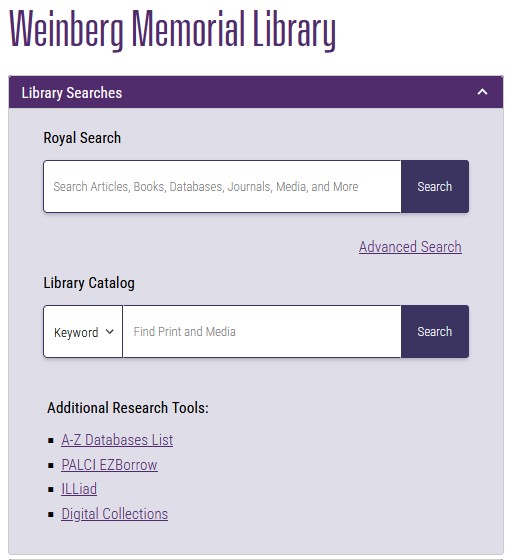
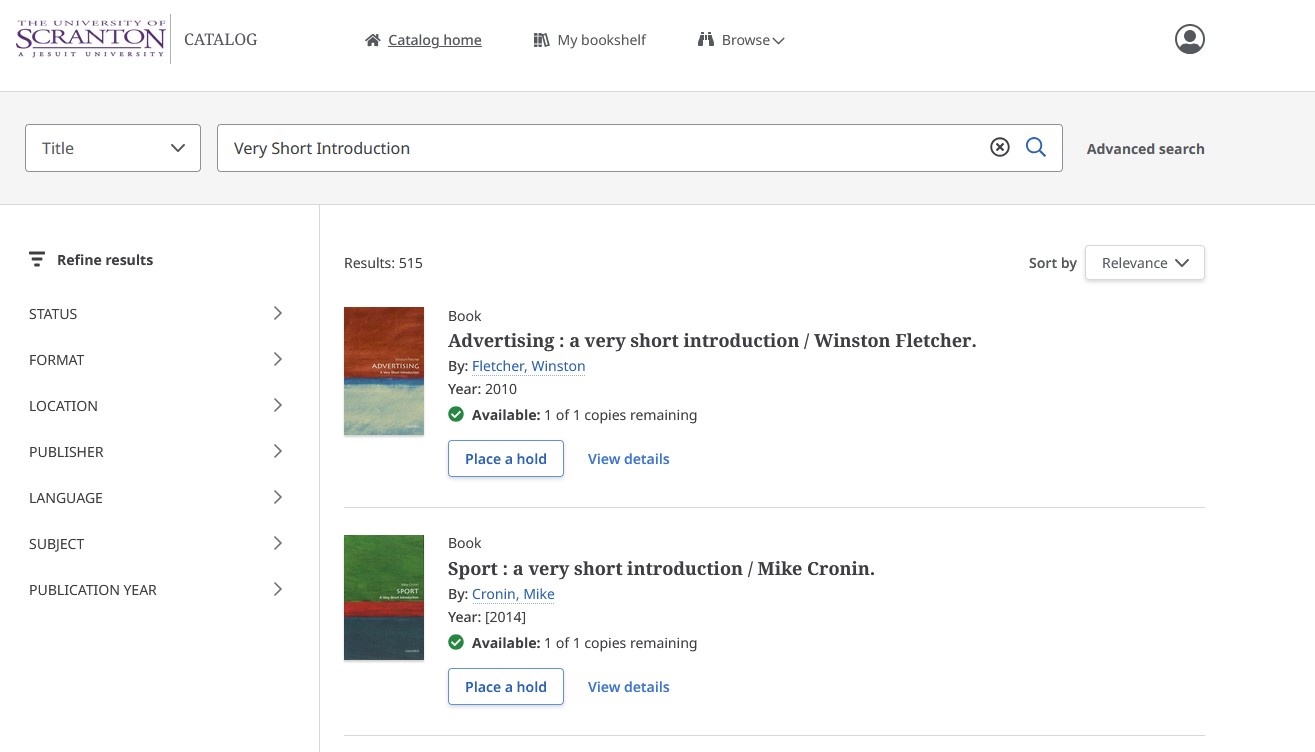
A new Library Catalog search option was added to allow users to exclusively search our print and physical media holdings. This new search box replaces the “Print and Media Only” checkbox that was previously found beneath the Royal Search search box and provides a drop down menu that allows you to limit by Keyword, Title, Author, ISBN, ISSN, or Subject before you begin to search.
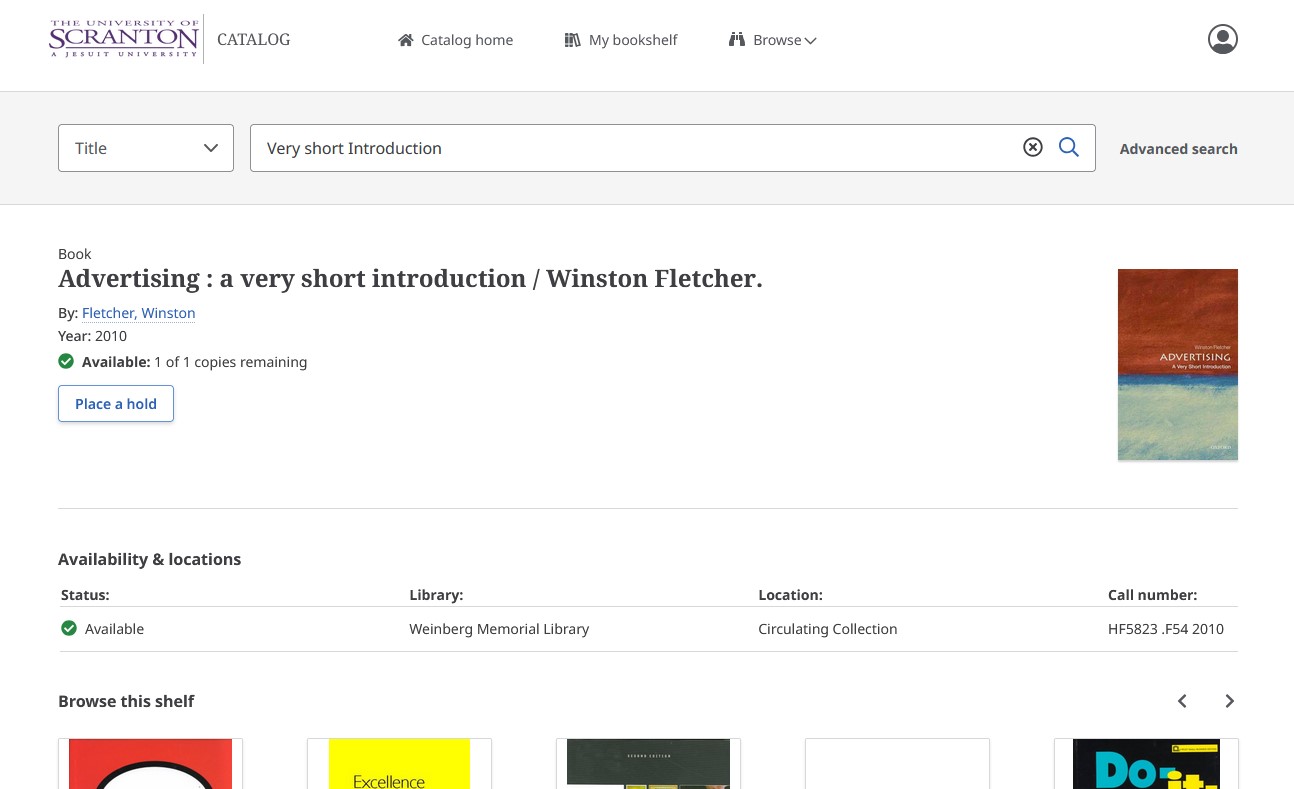
This new user interface eliminates the need to filter out electronic content and provides a real-time view of our catalog inventory for print books, manuscripts, DVD’s, CD’s and other print and physical media formats. Results can be refined through additional filtering options along the left hand side of the screen. This is especially helpful if you are looking for a specific format such as a DVD or materials in a particular language. The Sort by pull down menu on the right provides the option to sort your results by Relevance, Title (ascending or descending), Author (ascending or descending), and Year (Oldest or Newest). To see an expanded record with collection location and call number information click on View details.
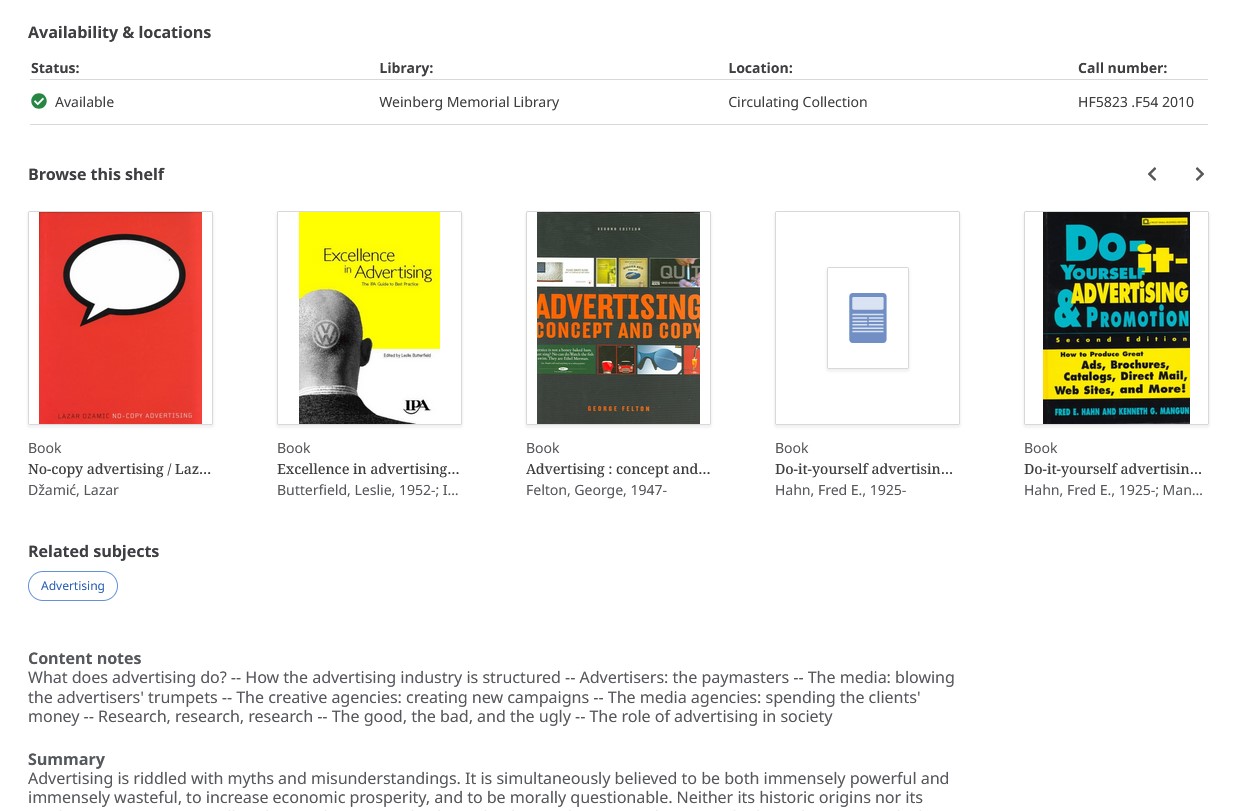
Within the expanded record you can find collection location and call number information under Availability & locations.Similar to Royal Search, you can click the Place a hold button to place a hold on items in our circulating collections. Please note that non-circulating items and items on reserve at the Library Services Desk and Media Services Desk do not have a place a hold option.
Additionally you will find a Browse this shelf feature which allows you to view books or media located adjacent to the title you have selected. Clicking on the blue bubbles below Related subjects will create a new subject search based on the subject term. If you scroll further down within the record you can explore expanded details and additional information about the title you selected including content notes and summaries.
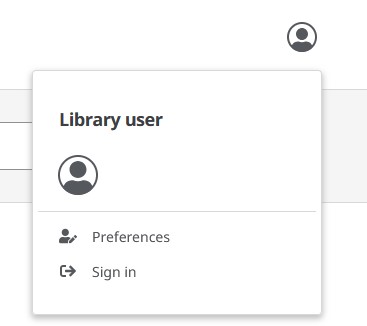
To Place a hold or to view the contents of My bookshelf, where you can view your holds and checked out materials, in the Library Catalog, you will need to sign into your Library Account.
To do so, click on the icon in the upper right hand corner and then click sign-in. The sign-in will take you to the University Single Sign-on (SSO) page where you will need to authenticate using your Royal ID number if you are not already signed in.
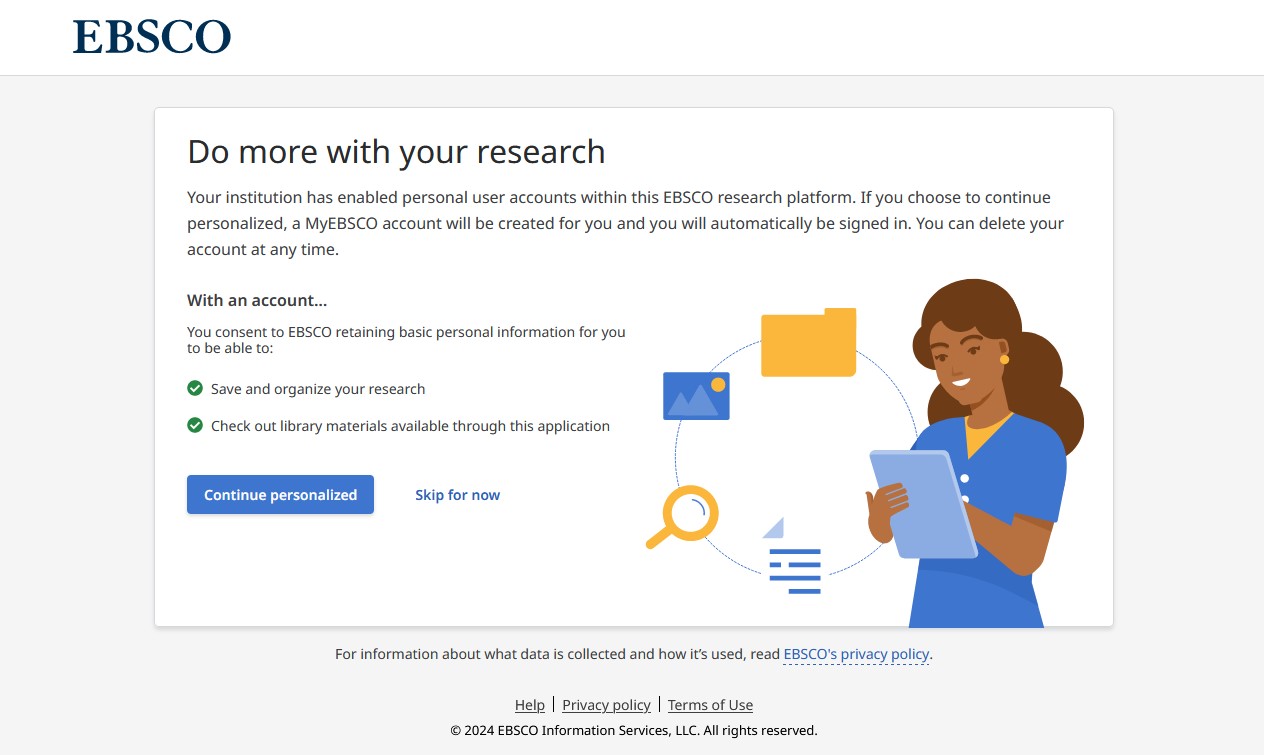
If this is your first time signing into MyEBSCO after May 29, 2024, you will be asked to personalize your account.
Click on the blue button that says Continue personalized, this will connect your MyEBSCO account to your Royal ID number.
While you can search Royal Search and the Library Catalog without signing in or personalizing your account, you will need to sign in and personalize your account if you wish to place holds on materials. Once you personalize your account you will not see that pop up window again, you would only receive prompts to sign in and authenticate.
If you have any additional questions about the Library Catalog please reach out to Cataloging and Metadata Librarian Marleen Cloutier at marleen.cloutier@scranton.edu or Ask a Librarian.
The Library’s recent migration to our new Library Service Platform, FOLIO, included changes to accessing your Library Account and access to user tools within Royal Search.
If you are a Student, Faculty, or Staff member, the following visual guide at the link below will assist you with logging into your account:
In the upper right corner of the Royal Search webpage you will see an icon and the words MyEBSCO.
Click on the icon and select Sign in to my EBSCO at the bottom of the box. You will then be asked to authenticate using your Royal ID number if you are not already signed in.
If this is your first time logging into MyEBSCO after May 29, 2024, you will be asked to personalize your account. Click on the blue button that says Continue personalized, this will connect your MyEBSCO account to your Royal ID number and give you access to the My dashboard tools. While you can search Royal Search without logging in or personalizing your account, you will need to sign in and personalize your account if you wish to place holds on materials or view database articles. Once you personalize your account you will not see that pop up window again, you would only receive prompts to sign in and authenticate.
On the left side menu My dashboard has tools you can use to save and organize your research and to see your holds and checked-out Materials. The Overview link will provide a dashboard for you of all links on the left side menu.
If you click on Holds & checkouts, you can review specific titles you have on hold or have checked out to your account. Under the Checkouts tab you can request a renewal by clicking on Renew.
Troubleshooting
If you are having an issue signing in to MyEBSCO or connecting to resources in Royal Search we recommend the following:
Use Google Chrome as your browser if you are unable to connect with another browser.
Perform a hard refresh of your browser and clear your cache.
If you are using Google Chrome, Firefox or Edge for Windows press Ctrl + F5.
If you are using Google Chrome or Firefox for Mac press Command + Shift + R .
You can find additional instructions for clearing your cache in Google Chrome here.
If you created a MyEBSCO account with your University email address and it does not merge when you personalize, see the following instructions to merge accounts:
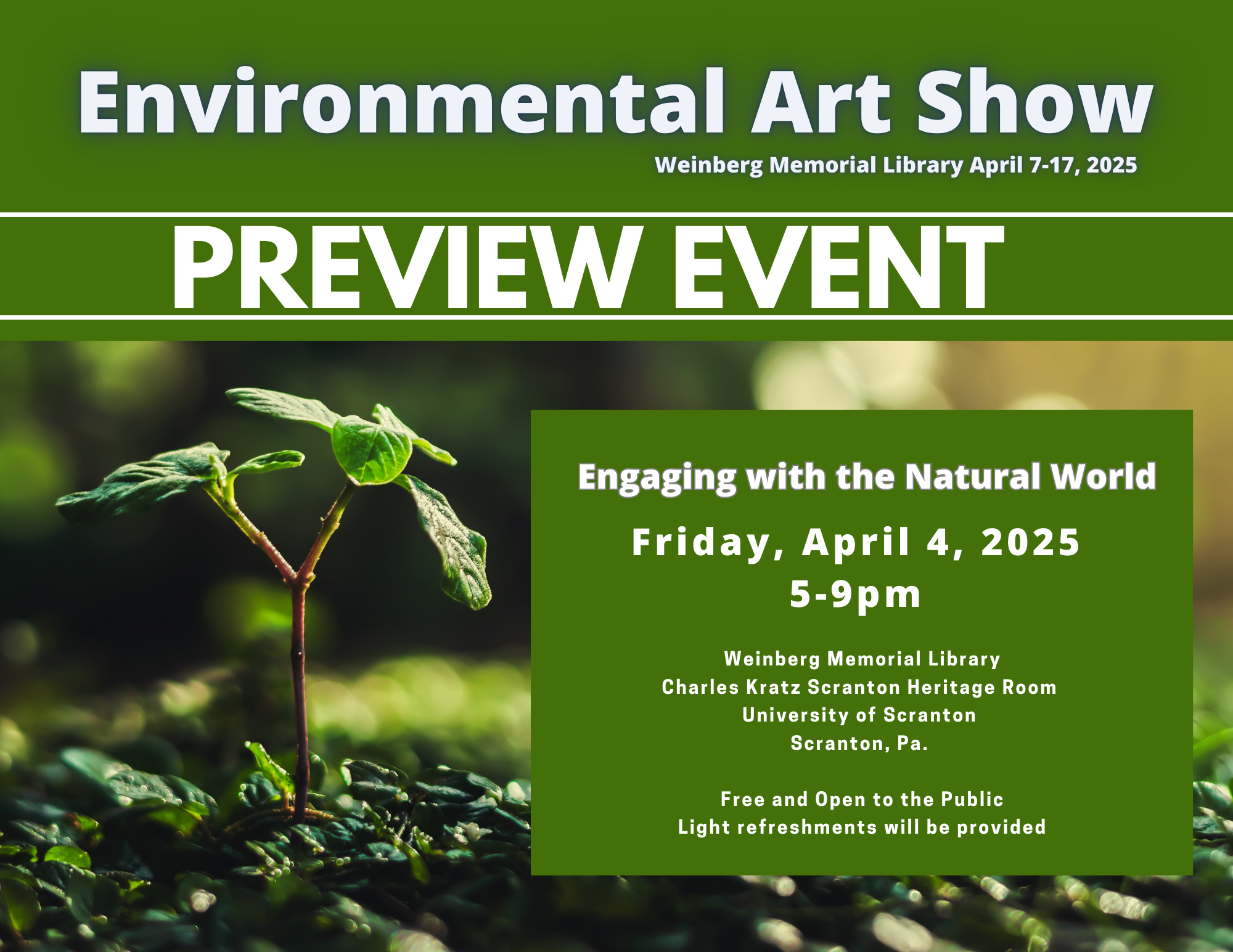 Join us at a Preview Event being held on Friday, April 4th from 5pm-9pm in the Charles Kratz Scranton Heritage Room to celebrate and get a first look at this year’s Environmental Art Show submissions. There will also be an opportunity to share your story of engagement by contributing to a public art piece which will be added to the display on the 7th. Light refreshments will be provided. Free and open to the public.